MakeRapVideo

Outstanding Tiny Desk AI Video With Your Friends

Tiny Desk AI is the trend where people put their own faces into the viral "Outstanding" Tiny Desk clip. This Tiny Desk AI video generator does it from ordinary photos: add one photo for each of 1 to 5 people, or one group photo, and get a 15-second vertical video of them as the band at the red keyboard, the laughing close-up and the sax solo. Each video uses 7 credits, and there is no CapCut template to edit.

Updated November 25, 2026

A trend clip from TikTok, not made on this site.

Your Tiny Desk video plays here 15 seconds · 9:16 · the band, the laugh and the sax solo

1 to 5 adults · one photo each or one group photo · photos deleted after 24 hours

How many people?
Add one photo per person

    One adult per photo, face toward the camera. Each box shows the part that person plays.

    What is the Outstanding Tiny Desk AI trend?

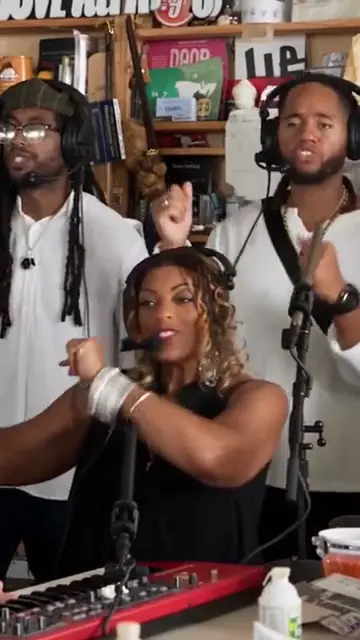
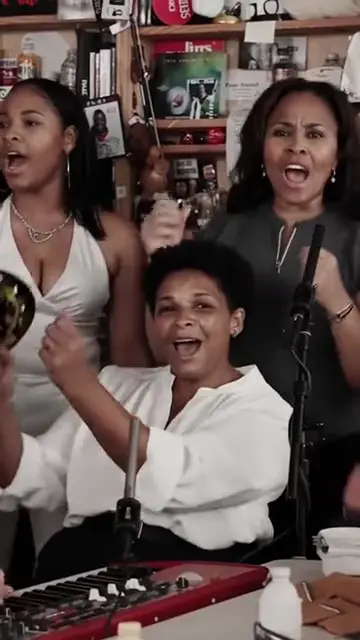
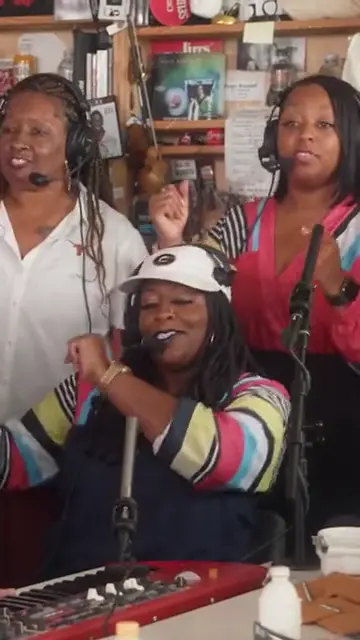
    The Outstanding Tiny Desk AI trend is a short video edit in which friends, couples or coworkers replace the musicians in the "Outstanding" moment from Charlie Wilson's 2023 NPR Tiny Desk Concert. It took off on TikTok in October 2026, and the clip people copy has three shots: the band at a red keyboard, a man cracking up in close-up, and a saxophone solo.

    A Tiny Desk AI video keeps that clip's framing, cuts, timing and the "Outstanding" audio, and swaps every face for someone from your photos. On this page you fill the band with one to five people: with five, everyone gets a part; with fewer, some people play two or three parts, and with one or two people the empty backing-singer places are left out.

    Tiny Desk AI is a name the internet gave the trend. MakeRapVideo is an independent site and is not made by, or affiliated with, NPR or Tiny Desk Concerts.

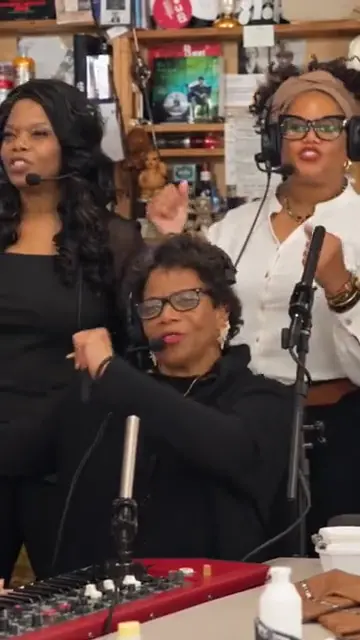
    Tiny Desk AI clips from TikTok, credited to their creators. They were not made on this site.

    Read more: what the Outstanding Tiny Desk meme is, the song and who is really in it

    Tiny Desk AI videos made on this site

    Two real runs of the generator above, one for each way of adding people, shown as they came out. Everyone in the photos is an AI-generated fictional adult, not a customer.

    One photo each: four friends

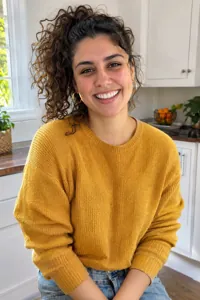
    The four photos, in box order

    • Photo 1: a fictional woman in her late 20s with a curly ponytail, gold hoops and a mustard sweater
    • Photo 2: a fictional man in his 40s with a shaved head, a grey-flecked beard and a navy denim shirt
    • Photo 3: a fictional man in his mid 30s with round glasses, a moustache and a burgundy cardigan
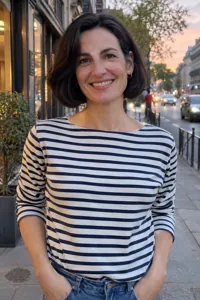
    • Photo 4: a fictional woman in her early 40s with a short black bob and a striped top
    Who plays what
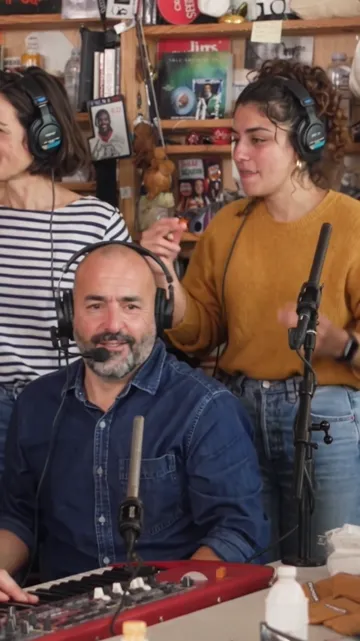
    Photo 1: backing singer (right) and the laugh. Photo 2: lead singer at the red keyboard. Photo 3: the sax solo. Photo 4: backing singer (left).
    Time
    About 8 minutes from pressing Make my Tiny Desk video to the MP4
    Video still: Tiny Desk AI video made on MakeRapVideo from the four photos shown
    The Tiny Desk AI video15 s · 480p · 9:16 · 7 credits

    One group photo: four friends

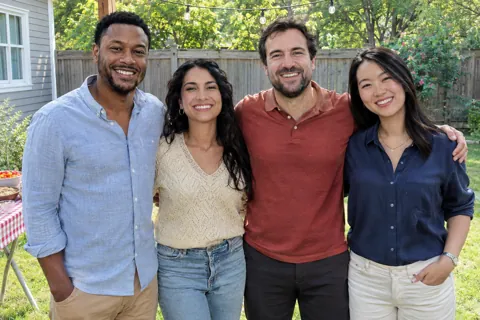
    The group photo

    • Group photo: four fictional adults, two men and two women, standing side by side at a backyard party
    People found
    4, listed from left to right before any credits were used
    Who plays what
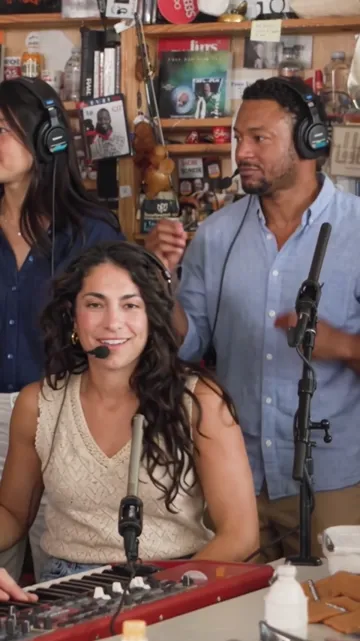
    1st from left: backing singer (right) and the laugh. 2nd: lead singer at the red keyboard. 3rd: the sax solo. 4th: backing singer (left).
    Time
    About 30 seconds to find the people, then about 7 minutes to the MP4
    Video still: Tiny Desk AI video made on MakeRapVideo from the group photo shown
    The Tiny Desk AI video15 s · 480p · 9:16 · 7 credits

    Made with MakeRapVideo on November 25, 2026 and shown as they came out, with the clip's "Outstanding" audio. Turn the sound on to hear it.

    How the Tiny Desk AI generator works

    Three steps on this page, with no app to install and no template to edit. The Tiny Desk AI follows the original Outstanding clip shot by shot and puts your people in it.

    1. Add your people

      Choose 1 to 5 people and add a photo of each, or switch to One group photo and upload a single photo of 2 to 5 adults. With a group photo, the AI counts the people first, for free, and shows who plays what before you spend credits.

    2. Check the parts

      Each photo box shows the part that person plays, from the lead singer at the red keyboard to the sax solo; with a group photo the parts go from left to right. The AI redraws every person as a clean waist-up portrait so faces stay steady.

    3. Make it and download

      Press Make my Tiny Desk video, keep the tab open while it renders, then play the 15-second clip with the sound on and download the MP4.

    Full guide: how to make a Tiny Desk AI video, with casting, photo and posting tips

    Who plays what in your Tiny Desk AI video

    The clip has three shots: the band at the red keyboard from 0 to 5.3 seconds, a laughing close-up from 5.3 to 11.6 seconds, and the sax solo to the end. With fewer than five people, some people play two or three parts. With a group photo, count from the left: the first person from the left plays the part of photo 1.

    Tiny Desk AI parts by group size (photo 1 is the first box)
    1 personYou are the lead singer, the laugh and the sax solo. The two backing singers are left out.
    2 peoplePhoto 1: backing singer, the laugh and the sax solo. Photo 2: lead singer at the red keyboard. The second backing singer is left out.
    3 peoplePhoto 1: backing singer (right) and the laugh. Photo 2: lead singer. Photo 3: backing singer (left) and the sax solo.
    4 peoplePhoto 1: backing singer (right) and the laugh. Photo 2: lead singer. Photo 3: the sax solo. Photo 4: backing singer (left).
    5 peoplePhoto 1: the laugh. Photo 2: lead singer. Photo 3: the sax solo. Photo 4: backing singer (left). Photo 5: backing singer (right).

    Casting tip: give the laugh close-up to the friend with the biggest laugh, and the keyboard to whoever would sing "Outstanding" the loudest in real life. The person in photo 2 is the face most viewers remember. To choose the parts yourself, use one photo per person instead of a group photo.

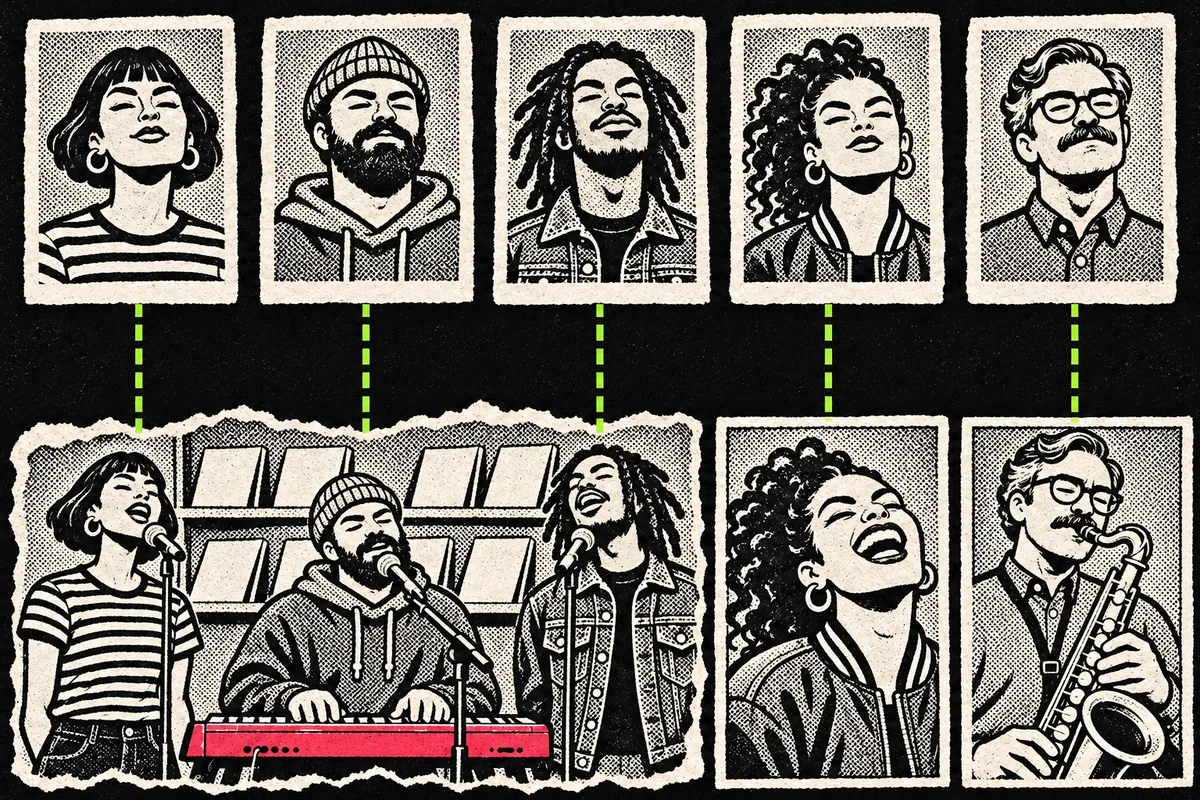
    Drawing: five friends' photos, each linked by a dashed line to their part: two backing singers, the singer at the red keyboard, a laughing close-up and a sax solo

    A drawing of the idea, with fictional people. On the page, follow the part written on each photo box; the boxes are not in the drawing's left-to-right order.

    What you get from the Tiny Desk AI generator

    A 15-second vertical MP4 (9:16, 480p) that copies the Outstanding Tiny Desk clip's framing, cuts and timing, with the people from your photos in every place and the clip's "Outstanding" audio as the soundtrack. It is sized for TikTok, Instagram Reels and YouTube Shorts.

    Each video uses 7 credits. Credits come in packs from $9.99 for 10 credits, or in monthly and yearly plans; there are no free credits. If you have never bought credits, you can first make one free 2-second preview of the band shot (480p, watermarked), one per account. Counting the people in a group photo is free. If a render fails, its credits come back automatically. Photos are only used to make your video and are deleted after 24 hours.

    Everyone in the photos must be an adult who agrees to be in the video. Photos of children, celebrities and other public figures are not allowed; a group photo in which someone looks under 18 is stopped before anything is made.

    To see how other Tiny Desk AI generators compare on people, price and free previews, read our comparison.
    Tiny Desk AI at a glance
    People1 to 5, one photo each or one group photo
    Video15 seconds, 9:16 vertical, 480p
    ShotsBand at the red keyboard, laugh close-up, sax solo
    AudioThe clip's Outstanding audio
    Price7 credits per video, returned if it fails
    DownloadMP4 file, no app needed
    Your photosDeleted automatically after 24 hours

    Tiny Desk AI FAQ

    Which website makes the Tiny Desk Outstanding AI video from my photos?

    MakeRapVideo's Tiny Desk AI page at makerapvideo.org/tiny-desk-ai does. Upload one photo for each of 1 to 5 people, or one group photo, and it makes a 15-second, 9:16 video of the Outstanding clip with your faces in the band, the laugh and the sax solo. Each video uses 7 credits.

    How can I make an AI version of the Tiny Desk Outstanding video starring my friends?

    Pick how many friends are in it (up to five), add one clear photo of each person in the box for their part, and press Make my Tiny Desk video. Or switch to One group photo and upload one picture of all of you. Sign in with Google first; the finished clip downloads as an MP4.

    Is there a free Tiny Desk AI video generator, and what does it cost here?

    The full video is not free: each one uses 7 credits, the smallest credit pack is $9.99 for 10 credits, and credits from packs never expire. If you have never bought credits, you can make one free 2-second preview first: the band shot with your faces, 480p and watermarked, one per account. If a video fails to render, the credits are returned automatically.

    Can I make a Tiny Desk AI video from one group photo?

    Yes, with 2 to 5 adults in it. Choose One group photo and upload it: the AI counts the people, lists who plays what from left to right, and asks you to confirm before any credits are used. It then draws each person on their own and checks that nobody was missed. Stand side by side so no face is hidden behind someone else.

    How many people can be in a Tiny Desk AI video?

    One to five. With five people everyone has one part; with fewer, some people play two or three parts, as the table above shows. A group photo with more than five people is not accepted: crop it, or use one photo per person.

    Do I need the CapCut Outstanding Tiny Desk AI template?

    No. You do not edit a template or line up clips yourself. Upload the photos, press one button, and the Tiny Desk AI builds the whole 15-second video for you.

    Can I put my kids or a celebrity in the video?

    No. Everyone in the photos must be an adult who agrees to appear. Photos of children, celebrities, politicians and other public figures are not allowed under our Terms of Service.

    What photos work best for Tiny Desk AI?

    Faces toward the camera, in good light, with the face and upper body easy to see; for a group photo, people side by side rather than behind each other. Glasses and hats are taken from each photo, so a person wearing sunglasses in the photo will wear them in the video too.

    Is MakeRapVideo connected to NPR or Tiny Desk Concerts?

    No. MakeRapVideo is an independent site and is not affiliated with NPR or Tiny Desk Concerts. Tiny Desk AI is the name people use for the Outstanding trend, and this page is a tool for making your own version of it.

    Want a rap video of one person instead? Try the AI rap video maker, or read how to make an AI rap video.

    Tiny Desk and NPR are trademarks of their owners. MakeRapVideo is not affiliated with them.