How to Make a Tiny Desk AI Video for the Outstanding Trend
By the MakeRapVideo team · Updated November 24, 2026
The short answer
To make a Tiny Desk AI video, choose 1 to 5 people, get one clear photo of each (or one group photo of all of them), and decide who plays which part of the Outstanding clip: the lead singer at the red keyboard, the laughing close-up, the sax solo and the two backing singers. Upload the photos to a Tiny Desk AI generator and it builds a 15-second vertical video with your people in the band. On our Tiny Desk AI page that is three steps and 7 credits. A CapCut template or your own prompts in an AI video app also work, but you do more of the editing yourself.
Open Tiny Desk AIA Tiny Desk AI video puts your own people into the "Outstanding" clip from Charlie Wilson's NPR Tiny Desk Concert. If you want the story behind the clip first, read what the Outstanding Tiny Desk meme is. This guide is the practical part: what you need, how to cast the parts, which photos work, and how to post the finished video.
What you need before you start
- Photos of your people. Either one photo of each person, or one group photo of 2 to 5 adults standing side by side. With a group photo, the AI counts the people and draws each one on their own, so make sure no face is hidden behind someone else.
- Everyone's OK. Ask people before you upload their photo. Everyone in the video should be an adult who has agreed to appear. On our page, photos of children, celebrities and politicians are not allowed.
- A casting plan. Half the fun of the Tiny Desk AI trend is who ends up where, so decide the parts before you upload (Step 2).
- A Google account. Our generator asks you to sign in with Google before it makes a video, and each video uses 7 credits.
Step 1: Choose how many people are in the band
The Outstanding clip has five people in it. You can fill every place with five friends, or make the video with fewer people, in which case some of them play more than one part.
| People | What changes |
|---|---|
| 5 | Everyone gets one part. |
| 4 | One person plays a backing singer and the laugh. |
| 3 | Two people play two parts each. |
| 2 | One person is the lead singer. The other plays a backing singer, the laugh and the sax solo. The second backing singer is left out. |
| 1 | You play the lead singer, the laugh and the sax solo. Both backing singers are left out. |
The price does not change with the number of people: one video is 7 credits whether it has one face or five. With a group photo you do not pick the number: the AI counts the people for you.
Step 2: Cast the parts
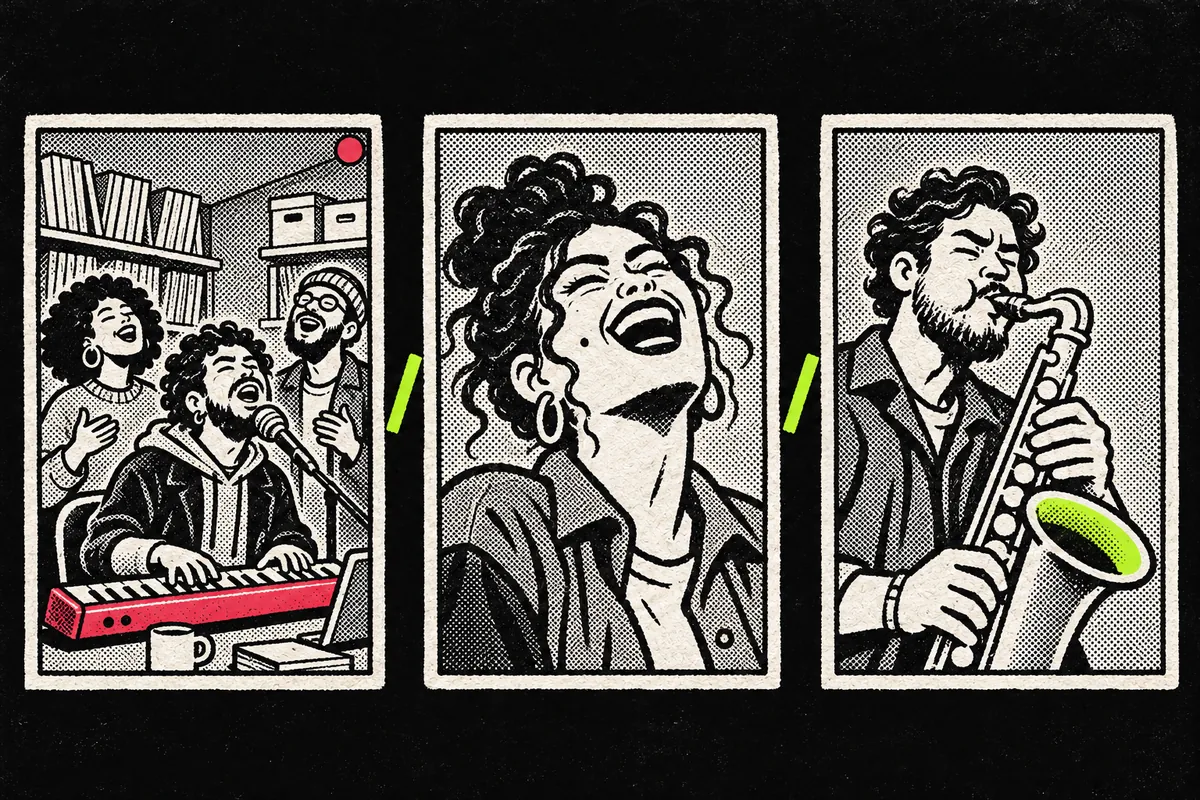
The clip is 15 seconds long and cuts between three shots:
- The band (0 to 5.3 seconds). The lead singer sits at the red keyboard at the front with a microphone, and the two backing singers stand behind.
- The laugh (5.3 to 11.6 seconds). A close-up of one person cracking up. This is the shot most people remember.
- The sax solo (11.6 to 15 seconds). One person plays the saxophone.
A few casting ideas that suit the joke:
- The laugh goes to the person with the best real laugh, or to whoever the video is about.
- The lead singer is the first face people see, so it suits the birthday person, the coach, the boss or the groom.
- The sax solo is short but lands well. It is a good part for the quiet friend nobody expects.
- The backing singers are the easy parts for people who do not want the spotlight.
On our Tiny Desk AI page each photo box is labeled with its part, so the order you upload in is the casting. With two or more people, photo 2 is always the lead singer. With a group photo, the casting goes from left to right: the first person from the left plays the part of photo 1, and the page lists who plays what before any credits are used. If you want to choose the parts yourself, use one photo per person.
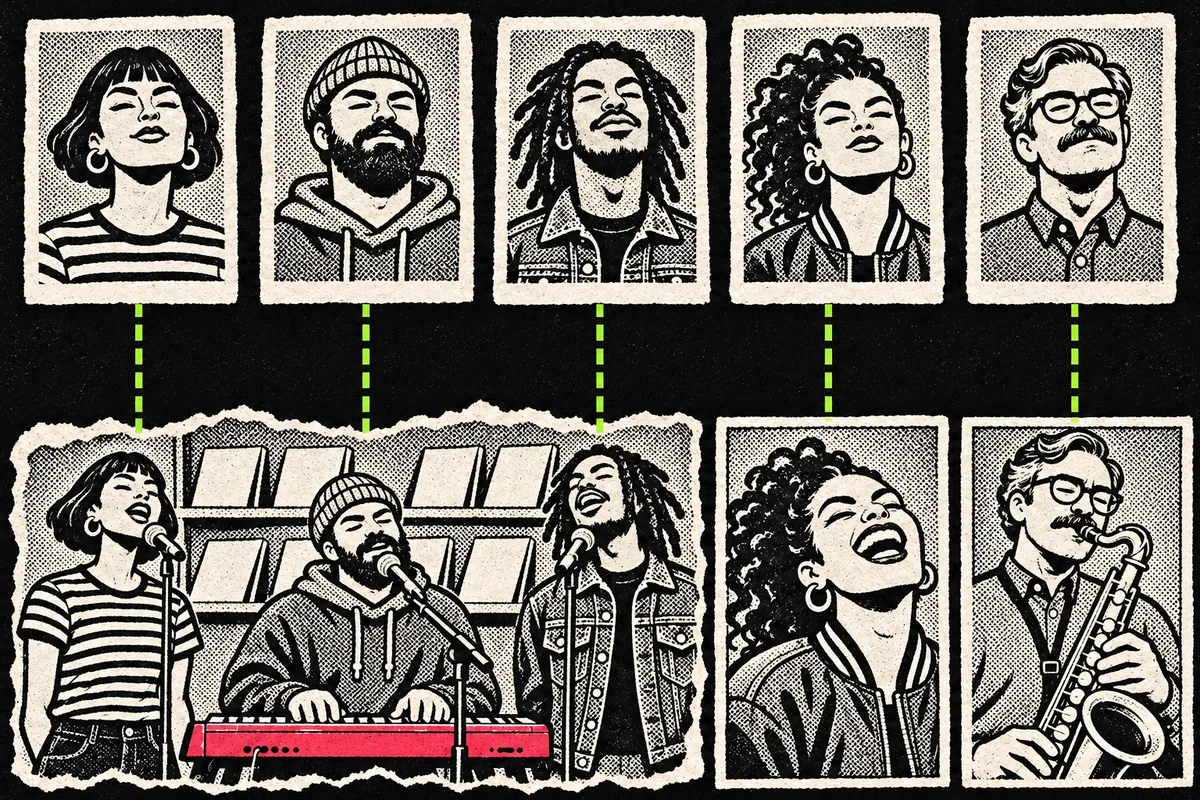
Both drawings show the idea with fictional people. They are not frames from a real video, and the photo boxes on the page are not in the drawing's left-to-right order.
Step 3: Pick photos the AI can work with
Before anything moves, the AI redraws each person as a clean, waist-up portrait. The face comes from the photo you upload, and so do the hair, glasses, hat and clothes. That gives a few simple rules:
- One person per photo, facing the camera, in good light. In a group photo, everyone side by side with their face in view.
- The face and upper body clearly visible, without heavy filters.
- A sharp photo rather than a blurry screenshot from a video.
- Dress for the part. Whatever someone wears in the photo, including sunglasses or a team jersey, is what they wear in the band.
Step 4: Make the video and check it
On the Tiny Desk AI page, choose the number of people, add each photo in the box for its part, and press Make my Tiny Desk video. With a group photo, press Find the people in my photo first, check the list of who plays what, then press Make my Tiny Desk video. The page uploads the photos, draws the portraits and then renders the clip. That takes minutes rather than seconds, so keep the tab open until the player appears. Then play it with the sound on and download the MP4.
Behind that button, the AI video model gets the reference clip, the song and a portrait of each person, with instructions to keep the room, the camera moves and the two hard cuts exactly as they are and to replace every face, haircut and outfit with your people's. With one or two people it is also told to remove the empty backing-singer places, which is why the bookshelf shows there. With a group photo, a second AI looks at the finished portraits before the video is made, and anyone who was missed is drawn again.
Watch the finished video once before you post it:
- Every face should look like the right person in every shot, including when they turn their head.
- The laugh close-up should show the person you cast, not someone from the original clip.
- Hands, the saxophone and the keyboard should look normal.
- Nothing should appear that was not in the photos, like an extra watch or a logo.
AI video can get any of these wrong. If the render fails, the 7 credits go back to your account automatically. If it finishes but one person looks off, try a clearer, better-lit photo of that person before you make it again.
Step 5: Post it
The finished video is a vertical 9:16 MP4, the shape TikTok, Instagram Reels and YouTube Shorts use.
- Label it as AI. TikTok, Instagram and YouTube all ask creators to disclose realistic AI-generated video, and the label also stops people thinking it is a real concert.
- Put the joke in the caption. The clip shows who is in the band; the caption says why. For example: "Our five-a-side team after losing 9–0" or "Grandpa's 80th, featuring the whole family".
- If the sound gets muted, the app has matched the music. Try adding the song from the app's own sound library instead.
- Tag people only if they agreed to be in it in the first place.
Other ways to make a Tiny Desk AI video
A Google search for "how to do the tiny desk ai trend" on November 24, 2026 turned up three kinds of answers: generators that work from photos, editor templates, and guides to prompting an AI video model yourself. They lead to the same kind of clip with different amounts of work.
| Way | What you do | Good for |
|---|---|---|
| A Tiny Desk AI generator, like ours | Upload one photo per person, or one group photo, and wait for the finished clip | The quickest route, with no editing |
| A template or AI feature in a video editor, such as CapCut or Kapwing | Open the editor's Tiny Desk AI template and follow its steps | People who already edit in that app and want to tweak the result |
| Your own prompts in an AI video model, such as Kling, Seedance or Wan | Write a prompt for each shot, generate the clips, then edit them together with the song | Full control, if you don't mind trial and error |
A generator does the prompting for you. Ours runs on the Wan 3.0 video model at the time of writing and sends it the same instructions every time, so you only choose the people. If you would rather write prompts yourself, the shot list in Step 2 is the part to copy: three shots, hard cuts at 5.3 and 11.6 seconds, the same room and the same song.
To compare the sites that make this clip, see best Tiny Desk AI video generators. For prices and credit packs, see Pricing. To start, open the Tiny Desk AI generator.
Tiny Desk AI videos people posted
Three family and sibling versions from TikTok, for casting ideas. Hover or tap to play.
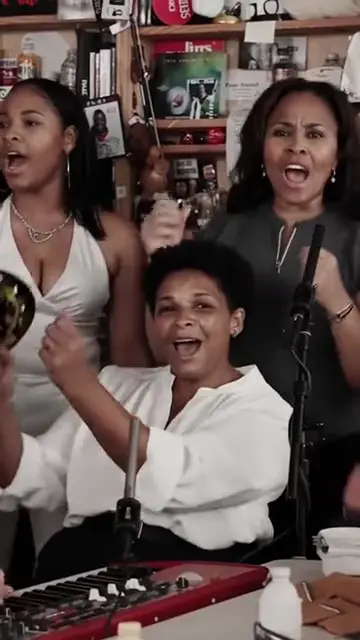
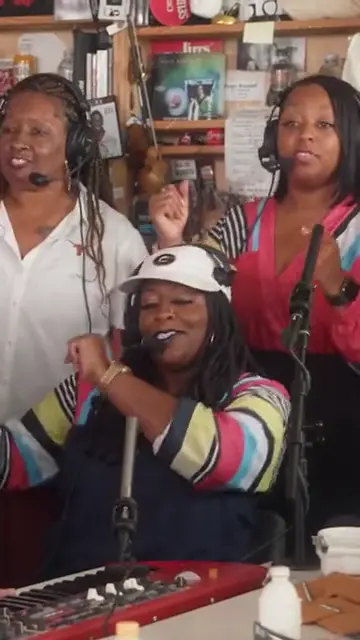
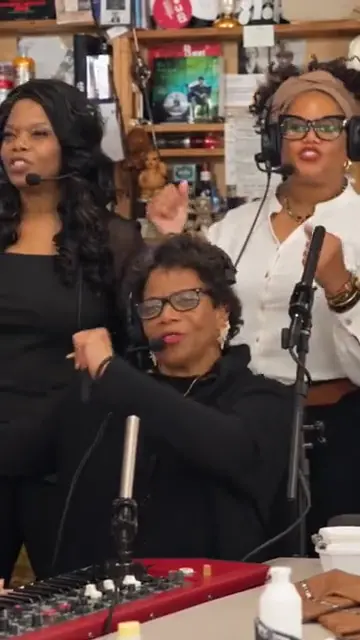
Clips from TikTok, credited to their creators. They were not made on this site.
Tiny Desk AI video questions
How long is a Tiny Desk AI video?
On our page it is 15 seconds, vertical 9:16 at 480p, with the same three shots every time: the band, the laugh and the sax solo. You choose the people; the length, the shots and the song stay the same.
Can I make a Tiny Desk AI video by myself?
Yes. Choose 1 person and you play the lead singer, the laugh and the sax solo. The two backing singers are left out, so the bookshelf shows where they stood.
Can I use one group photo for everyone?
Yes, if it shows 2 to 5 adults. Choose One group photo on our Tiny Desk AI page: the AI counts the people, lists who plays what from left to right, and waits for you to confirm before any credits are used. It then draws each person on their own and checks that nobody was left out. Counting is free; the video uses the same 7 credits.
Is there a free Tiny Desk AI video generator?
Ours is not free: each video uses 7 credits, and the smallest credit pack is $9.99 for 10 credits. Some other sites advertise a free try, so check what the free version actually gives you (a short preview, a watermark, a daily limit) before you upload your friends' photos.
Do I need CapCut or a template to do the Tiny Desk AI trend?
No. A template is one way to do it, but a Tiny Desk AI generator does the whole video from photos, so there is nothing to line up or edit.
Why are the backing singers missing from my video?
With 1 person both backing singers are left out, and with 2 people the backing singer on the left is left out. With 3 or more people every place in the band is filled.
Can I put my kids or a celebrity in the Outstanding clip?
Not on our page. Everyone in the photos must be an adult who agrees to be in the video, and photos of children, celebrities, politicians and other public figures are not allowed. A group photo in which someone looks under 18 is stopped before anything is made.
Can I pick a different song or make the clip longer?
No. The video copies one clip, so the song, the 15-second length and the three shots are fixed. What changes is who is in it.
Tiny Desk and NPR are trademarks of their owners. MakeRapVideo is an independent site and is not affiliated with NPR, Tiny Desk Concerts or Charlie Wilson.